 Redecorate AI
Redesign any room with AI, from a single photo
Redecorate AI is an iPhone and Android app that turns a photo of your room into a new interior design in about 20 seconds. Pick one of 16 styles and compare before and after.
3 free designs every day. No account needed.
- Price
- Free, 3 designs per day
- Speed
- About 20 seconds per design
- Styles
- 16 styles, 14 color palettes
- Platforms
- iPhone, iPad, Android
- Account
- None required
- Languages
- English, French
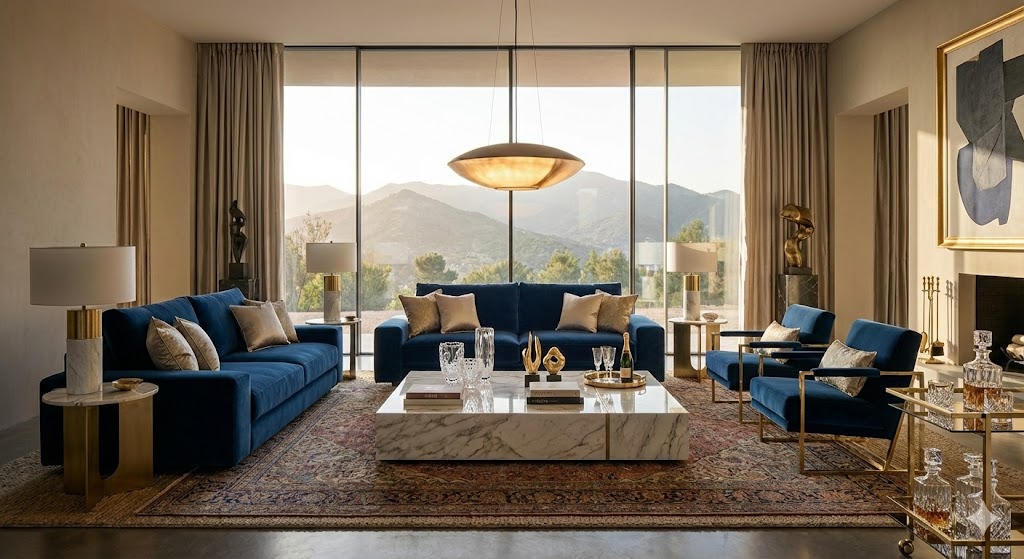
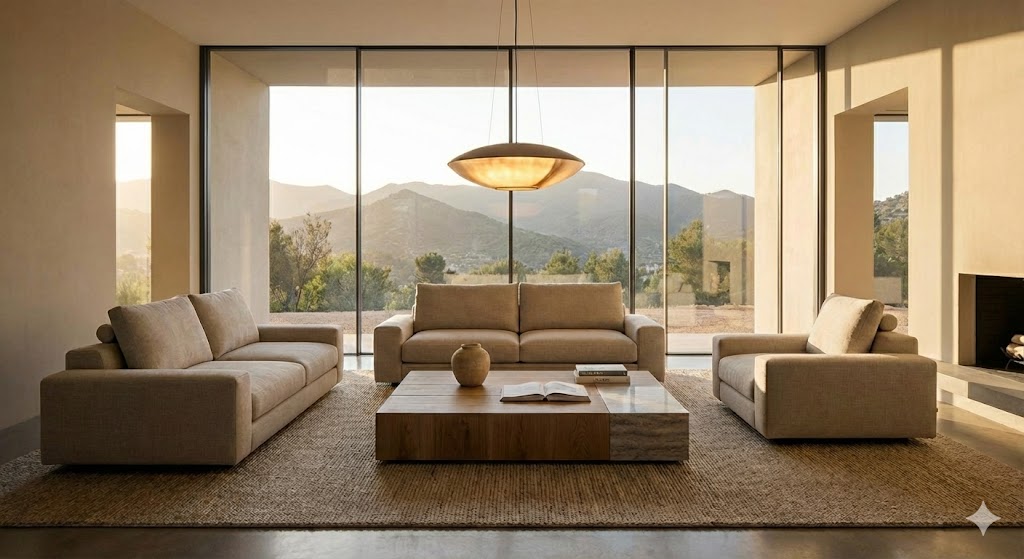 Before
After
Drag to compare the room before and after.
How it works
- 1
Add a photo of your room
Take a photo or choose one from your library. No photo handy? Try a sample room.
- 2
Pick the room and a style
Living room, bedroom, kitchen, bathroom, office and more, in 16 design styles.
- 3
Pick your colors
Choose one of 14 color palettes, or let the AI pick colors that match the style.
- 4
Get your design
In about 20 seconds. Save it to Photos, share it, or change a detail with a sentence.
16 interior design styles
- Minimalist
- Scandinavian
- Japandi
- Industrial
- Bohemian
- Mid-Century
- Art Deco
- Farmhouse
- Mediterranean
- Haussmannian
- Nursery
- Luxury
- Black & White
- Rustic
- Gaming
- Cartoon
What you can do
Before and after slider
Drag across the image to compare your original room with the new design.
Edit with AI
Describe a change, such as "make the rug beige" or "add a plant by the window". The rest of the room stays the same.
Keep your layout, or refurnish
Keep the furniture where it is and change colors, materials and decor, or let the AI rearrange and refurnish the room.
Your own style
With Premium, describe the look you want in your own words instead of picking a preset style.
My designs
Every design is kept in the app, on your device, so you can come back to it later.
English and French
The app is available in English and in French.
Pricing
| Free | Premium | |
|---|---|---|
| Designs per day | 3 | Unlimited |
| Styles | 5 (Minimalist, Scandinavian, Japandi, Industrial, Bohemian) | All 16 |
| Your own custom style | No | Yes |
| Edit with AI | Yes, each edit counts as one design | Yes, unlimited |
| Before and after slider, save, share | Yes | Yes |
| Price | Free | Weekly or yearly subscription, cancel anytime |
Prices are shown in the app and depend on your country.
Who it is for
- Homeowners and renters who want to see a room in a new style before buying furniture or paint
- People planning a renovation who need ideas to show a decorator or contractor
- Real estate professionals who want to show the potential of a room
- Anyone who enjoys interior design
Frequently asked questions
Is Redecorate AI free?
Yes. The app is free to download and gives you 3 designs per day with 5 styles. Premium is an optional weekly or yearly subscription that unlocks unlimited designs, all 16 styles and custom styles.
Do I need to create an account?
No. There is no sign-up, email or password. You can create your first design as soon as the app is installed.
What photos work best?
A well-lit photo with a wide view of the room. Avoid tight or extreme angles. Natural daylight gives the best results.
What happens to my photos?
Your photo is sent to Google Gemini to generate the design. Original photos are not stored permanently on our servers and are not used to train AI models. Generated images may be stored on Cloudinary for delivery, and your design history stays on your device. See the Privacy Policy.
Can I change a detail in a design?
Yes. Use Edit with AI and describe the change in a sentence, for example: make the rug beige, or add a plant by the window. Each edit counts as one design.
Are the designs accurate enough for renovation work?
No. AI-generated designs are for inspiration only and may not be architecturally accurate. Consult a professional before any remodeling project.
How do I cancel my subscription?
Subscriptions are managed by Apple or Google. See the Support page for the steps.